Tips
How to choose an event photo app — 2026 buyer's guide
12 min read
Published 15 July 2026Updated 31 October 2026
TL;DR: Pick an event photo app based on eight criteria: event type, scale, how guests join, file quality, moderation, retention, branding, and export. If you'll ever organize more than one event in your life, choose a universal tool — one account, every event. That's how FotoClick works.
How to choose an event photo app?
How to choose an event photo app? Pick a tool that handles every type of event (not just weddings), lets guests join via QR code without installing an app, preserves full file quality, and gives you complete control over the gallery. Below we walk through eight criteria that actually matter, the two categories of tools on the market, and a checklist you can run through in your head before deciding.
Why choosing a photo app isn't as obvious as it looks
At first glance, a guest photo-collecting app sounds simple — QR code, shared gallery, done. In reality the differences between tools are huge, and you'll only notice most of them after the event, when it's already too late.
One app compresses photos down to thumbnail size — they look beautiful on a phone but are useless for printing or blowing up onto a poster. Another has a very short gallery retention, so grandma who wanted to browse the christening photos a year later hits a 404. A third is designed exclusively for weddings — you try to use it for your daughter's 18th and the copy shouts "bride and groom," "wedding guests," "blessing for the newlyweds." A fourth requires every guest to install an app, so the groom's grandmother gives up at the App Store screen.
Each of these problems is predictable — if you know what to ask about. This post gives you those questions.
Two categories of tools on the market
Before we get into the criteria, it helps to understand the market. Guest photo-collecting apps split into two clear categories:
Wedding-only tools
Apps built exclusively for weddings. Their names contain "wedding," "love," "wedd." The copy in the app, on the landing page, in the emails — everything shouts "bride and groom," "wedding guests," "your big day." Placard templates lean floral and pastel, welcome screens are peppered with hearts.
The problem: works great at a wedding, poorly at everything else. Six months later your sister throws her 30th, a friend organizes a bachelor party, the office asks for a gallery from the summer outing — and you're back to shopping for a new tool, learning from scratch, creating another account.
Universal event tools
Apps that deliberately don't narrow themselves to one type of event. The copy is neutral ("guests," "participants," "birthday person"), the placard templates are stylish without being themed (default gold, dark, burgundy, sage). One account handles a wedding, an 18th, a christening, a bachelor party, a corporate conference.
FotoClick belongs to this second category on purpose. We start from the assumption that the person organizing a wedding in June will be organizing a christening next year, an in-laws' anniversary the year after, and helping a friend with her 40th along the way. Those aren't four different tools — they're one account and four events.
8 criteria for choosing an event photo app
1. Event type — now and a year from now
Ask yourself: is this the only event I'll ever organize? If the answer is genuinely "yes," a wedding-only tool is fine. But almost nobody answers "yes" honestly. Next year there's a friend's baby's first birthday, your parents' anniversary, a corporate offsite, a hiking trip with friends.
Pick a tool that handles every one of those scenarios. It doesn't cost more than a wedding-only app, and it saves you from migrating between platforms and relearning the same thing four times.
2. Event size and upload scale
How many guests? 30 people at a christening, 150 at a wedding, 500 at a company party? The app has to hold up when 80 people simultaneously upload photos from the same evening. Check whether the provider talks openly about scaling, upload queues, and offline handling.
FotoClick has an auto-resend queue — if a guest has weak signal in the reception hall, their photos wait in the queue and send automatically once the connection returns. They don't have to tap again or check whether it went through.
3. How guests join
The key question: does your guest have to install anything? If yes, we can guarantee that some of them will drop off. Grandma, the father-in-law, the cousin without a recent phone — they all bounce at the App Store.
Look for an app that runs in the browser after a QR scan. No account, no install, no email. Open the camera, scan the placard, land in the gallery, upload a photo. That's it. Being able to save it as an app should be an option, never a requirement.
4. File quality — full resolution vs thumbnails
This is the silent killer. Many event photo apps compress photos down to 1200x800 px so the gallery loads fast. Looks fine on a phone, but when you want to print a photo as a poster or put it in an album — you've got a thumbnail.
Check whether the app preserves full file quality and lets you download a ZIP at full resolution. FotoClick keeps photos in three variants (full, display, thumb) — light variants for browsing, full quality served for downloads.
5. Moderation — how much control you have
Not every guest photo belongs in the shared gallery. Someone uploaded a blurry mess. Someone photographed themselves in the bathroom. Someone added a shot where your mother-in-law looks awful.
Check whether you, as the organizer, can hide specific photos without deleting them outright (in case the author asks about them later). In FotoClick moderation is one click — the photo disappears from the guest gallery and stays in your dashboard.
6. Retention — how long the gallery lives
This is the criterion nobody thinks about before an event and everyone asks about a year later. Grandma calls: "hey, I wanted to show my grandson the christening photos, I clicked the link and got nothing."
Check how long the app keeps the gallery active and whether there's an option to extend it. Wedding photos are something you want for life, not for a month.
7. Branding — what the guest sees
A guest scanning a QR code in your reception hall should land in a gallery that looks like your event, not like an ad for an app. Event name, cover photo, light/dark theme matched to the venue (light for a daytime ceremony, dark for an evening reception).
It doesn't need to be full white-label customization — it's enough for the gallery to breathe the atmosphere of the event rather than the vendor's logo.
8. Export and backup
The last criterion, the most technical one. After the event you want every photo in your own hands — full quality, in a single ZIP, ready to drop onto a drive or send to a photo book. Check whether the app supports bulk export or whether you have to click photo by photo.
Bonus points: background export (you get a link when the file is ready), so you don't have to babysit the browser tab for half an hour.
Feature highlights worth having
Beyond the core criteria, there are features that genuinely change the experience — yours and your guests'.
Live Show — slideshow on a TV or projector
You open a link on a laptop, plug into a TV, and all evening the slideshow displays guest photos in real time. New photos appear on their own. You control the pace (5/6/8/10 sec), the order (newest first, chronological, random), and add a welcome slide with the event name.
This is the feature that turns a wedding into an interaction. Guests see themselves on screen, grandparents laugh, kids run around pointing "that's me!" We wrote more in the post about Live Show.
Push notifications
Calling everyone for a group photo? Instead of shouting into a microphone, you send a push notification to every guest's phone. It pops up on their screen like a text from an app, no need to open the gallery. No app install required — it works in the browser.
Announcements feed
A broadcast feed visible to guests. Write "cake cutting at 10 PM" once — it sits in the feed, and any guest who opens the gallery later will see it. You don't have to repeat yourself.
Guest PIN
For events that need to be genuinely private. You set a PIN, only guests with the code enter the gallery. Great for christenings (protecting photos of the child), evening weddings (you don't want a stranger stumbling in), corporate events under NDA.
Placard PDF designer
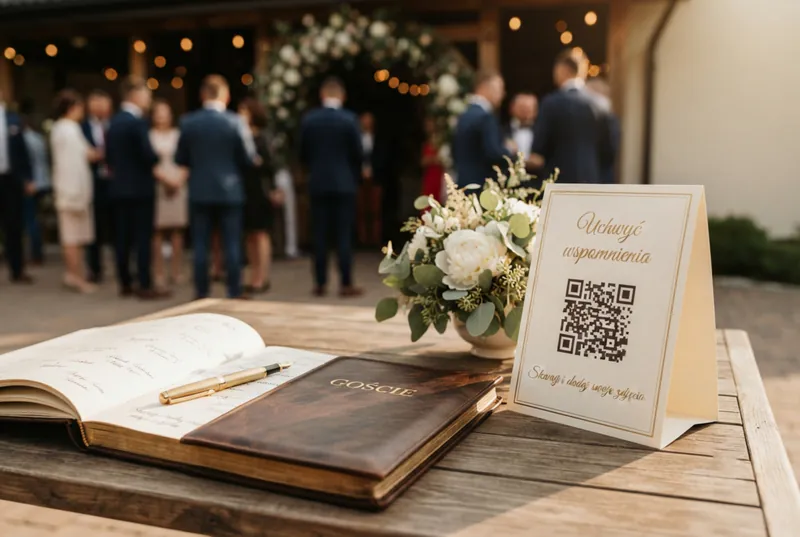
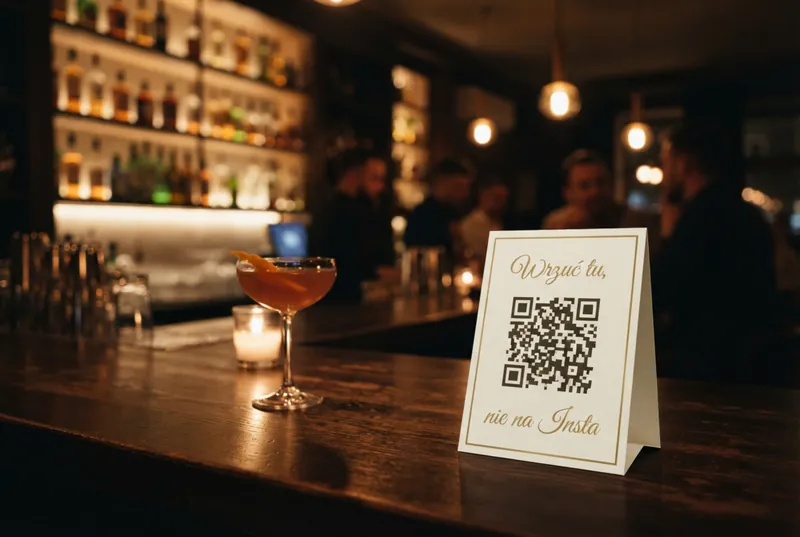
Instead of downloading a bare QR code, you get ready-to-print placards on A4. Five stylistic templates (default gold, simple, dark, burgundy, sage), editable text, layout 1/4/9 per sheet depending on venue size. More in the post about wedding QR codes.
Use case — Company X runs three different events in Q3
Martha from Company X's marketing team has three events in Q3: a 20th anniversary gala (300 people, elegant hotel, evening), a team outing (80 people, weekend by the lake), and an industry conference (150 people, conference hall, full day).
Before she found FotoClick, she tried three different tools. The first was wedding-only — the copy shouted "wedding guests" on a corporate gallery, she gave up. The second required every participant to install an app — at the conference 40% of people didn't install it and photos went missing. The third compressed photos — the CEO wanted to print a banner from the anniversary gala and got a thumbnail.
With FotoClick she ran all three events from one account. Each got its own event, its own placards, its own gallery. The anniversary gala: dark theme, burgundy placards, Live Show on two LED screens. The team outing: light theme, sage placards, full-quality downloads for the internal archive. The conference: guest PIN (recordings of the talks couldn't leak), branding with the event name.
Martha saved dozens of hours of research for each subsequent event, and every gallery from all three events lives in one place. When a fourth event popped up in Q4 (board holiday dinner, 40 people), she spun it up in two minutes.
Checklist before you decide
Before signing up or paying for anything, run through this list:
- Does it handle my event type (and other types I might organize in the future)?
- Can guests join without installing an app (QR code in the browser)?
- Does it preserve full file quality (not compressed to thumbnails)?
- Can I moderate (hide specific photos)?
- How long does the gallery live after the event?
- Is the branding neutral (doesn't shout "bride and groom" at a corporate offsite)?
- Can I download everything as a ZIP (not click photo by photo)?
- Is there a Live Show (slideshow on TV/projector)?
- Does it work offline (upload queue on weak signal)?
- Can I send push notifications to guests (without them installing an app)?
If the app hits 8+ out of 10, you're in good shape. We built FotoClick to check all ten boxes.
FAQ
Is it worth paying for an event photo app when Google Photos is free?
Google Photos requires every guest to have a Google account and accept an invitation to the folder. Realistically 30-50% of guests won't do it (too busy, don't want to, don't know how). An event photo app isn't a "free vs paid" question — it's a question of access for every guest without friction.
Should I look for a local or an international app?
A local app gives you support in your language, proper localization (including natural phrasing rather than machine-translated stiffness), integrations with local payment methods, and alignment with local GDPR/data-protection realities. It works equally well at a wedding outside the city, a birthday downtown, or a corporate offsite anywhere — it doesn't depend on local infrastructure, because the whole gallery lives in the browser. International tools are often translated via Google Translate — and it shows immediately.
How much should a good event photo app cost?
The price depends on event size, retention, and feature set. Models vary: subscription, one-time payment per event, or a per-photo fee. At FotoClick you pay once per event — the Free plan lets you test it with no payment, and the current paid rates are on the pricing page. We break it all down in a separate post about wedding photo app pricing. In short: be wary of apps without a transparent price list — that usually means "we'll ask about your budget."
Do event photo apps work on guests' older phones?
Good apps run in the browser — QR code + link + gallery. They don't require the latest iOS or Android. FotoClick works even on a phone from five years ago, because the whole flow lives in the browser rather than a native app.
When should I set up the event in the app — a week before, a month before?
Optimally 2-3 weeks before the event, so you have time to print placards, test the QR code in your venue's network, and set up the PIN and Live Show. Realistically you can do everything the day before — spinning up an event in FotoClick takes two minutes.
Can the app replace a photographer?
No. A photographer and a shared gallery are two different things, and you need both. The photographer delivers 300-500 composed, edited photos of the key moments. The shared gallery delivers 1500+ raw, spontaneous shots from the guests' perspective. Together = the full picture of the event.
What's next
If this list has made it clear that you're after a universal tool with Live Show, full file quality, and neutral branding — set up an event in FotoClick. It takes two minutes, and the account will handle every future event in your life.
If you want to read more, take a look at:
- Event photo app comparison — a concrete side-by-side lineup of the tools
- Wedding photo app pricing — how to compare prices and what to watch for
- How to collect wedding guest photos — the hero post on the mechanics of collecting photos at a wedding
- Wedding QR code — how to make one — a guide to placards, formats, and where to place them
- Wedding slideshow — Live Show — how to turn a shared gallery into an interactive slideshow
Choosing an event photo app is a decision for years, not for a single event. Choose once, choose well — and stop thinking about it.
Create an event in 30 seconds
Guests scan a QR code and upload photos. No app, no account needed.