Parties
18th Birthday Party — How to Collect Photos and Keepsakes from Guests
13 min read
Published 15 July 2026Updated 31 October 2026
TL;DR: An 18th birthday happens once. Instead of begging 40 people to post their photos in a group chat, put a QR placard and a shared gallery on every table. Guests scan, upload, and you have everything in one place — the birthday boy or girl comes back to those memories next week, next year, and ten years from now. We built FotoClick for exactly this.
How do you organize an 18th birthday so real keepsakes and guest photos actually survive it? Place QR placards on the tables, launch a shared gallery, and turn on Live Show on the TV — guests scan with their phones, upload photos without creating an account, and you have every shot in one place before you even get home. Below is the full plan — from invitations, through the evening itself, to the keepsake gallery the birthday person will revisit a decade from now.
Why an 18th birthday is special (and why traditional methods fail)
An 18th birthday isn't like any other party. It's the first grown-up moment — the last months of high school, childhood friends who traveled across the country just for this, parents, godparents, aunts, cousins. This exact cast of people will never come together in this exact way again. A year from now some friends will move away for university, someone will emigrate, someone will drift out of the birthday person's life. These photos are too important to leave to chance.
And in practice, chance looks like this. Someone shot 200 great photos on an iPhone and never sent them because they "forgot". An aunt captured the best shot of the dance with dad and it lives only in her family WhatsApp thread. A friend recorded the first toast and posted it on TikTok but didn't save the original. Three days after the party you realize the biggest moments exist only scattered across 30 phones, half of whose owners don't even remember they filmed anything.
A group chat isn't a solution — it's a simulation of one. On the first night someone drops five photos, someone else types "cool", then the chat goes silent for a week and the actual photos never appear. Google Photos and iCloud only work inside their own ecosystems — Android can't see the iPhone side and vice versa. Instagram Stories disappear after 24 hours. The birthday person ends up with 60 selfies of themselves and nothing else.
What FotoClick does and why it works specifically for 18th birthdays
We built FotoClick around one simple idea: guests do what they'd already do with their phones, and you get everything in one place. No app, no account, no "give me your number and I'll send it".
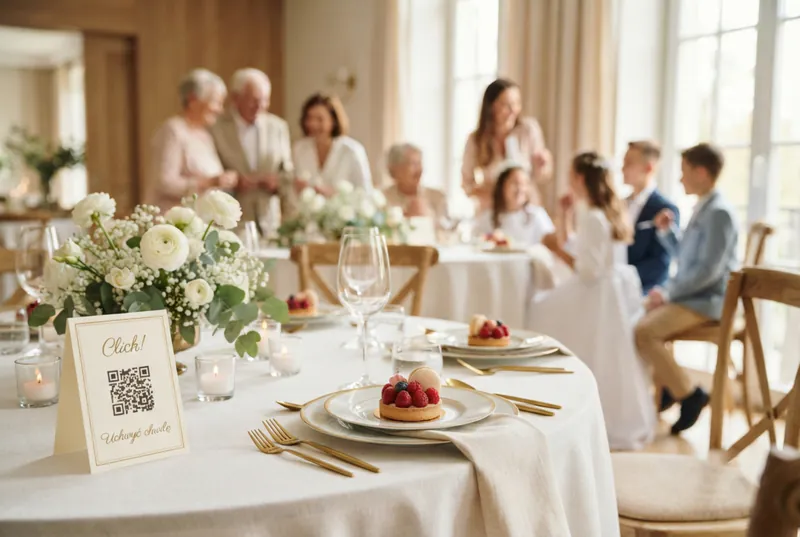
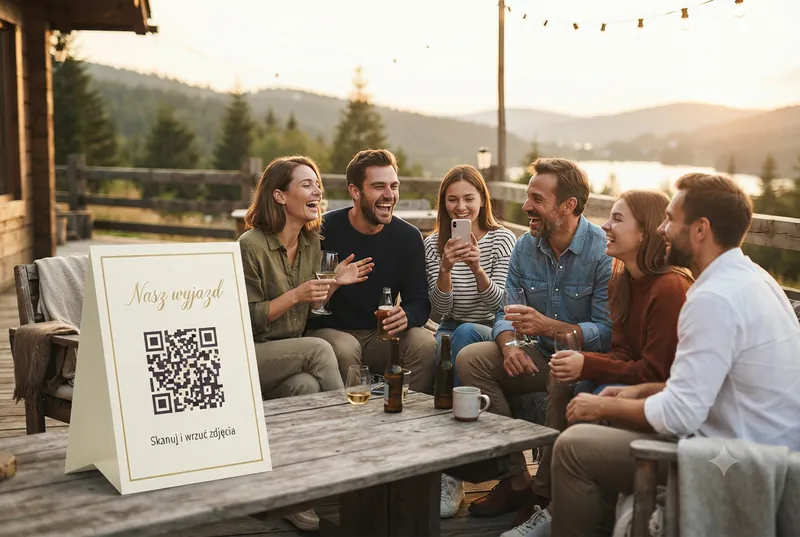
Here's how it looks. You create an event in a few minutes, print the QR placards (the designer is built into the app and generates a ready-to-print A4 PDF), scatter them on tables and in the restrooms. A guest scans with their phone camera, lands in the gallery, and uploads photos with one tap. You see everything in the organizer panel in real time — literally, as it arrives.
Three things make this work at 18th birthdays:
- Zero friction. 18-year-olds are used to TikTok and Snapchat — one tap, done. But the birthday girl's grandma will also manage, because there's nothing to install. Scan → gallery → upload. Three steps, none of which require signing up.
- Everything in one place. High school friends, cousins, family, parents' friends — each bubble takes completely different photos. In the FotoClick gallery they all land together. After the weekend, the birthday person sees a dance with dad next to a selfie with the school crew.
- It sticks around. Photos don't disappear after 24 hours like Stories. You can download them in original quality, put them on a USB stick for the birthday person, print an album. A year, five years, ten years later — they're still yours.
Step by step: how to plan an 18th birthday around keepsakes
Here's a plan that works whether the party is at home, in a restaurant, or in a rented banquet hall.
Step 1 — Set up the event two weeks ahead
Don't wait until the last day. Go to FotoClick, create the event, enter the title (e.g. "Kate's 18th") and the date. Pick a theme — light or dark (dark suits a club-style 18th better, light works for a birthday brunch). Upload a cover image — it can be a selfie of the birthday person or artwork from the invitation.
You need those two weeks of runway for one thing: printing the placards. If you're doing it at home — no problem. If you want a print shop to do them on heavy stock with a lamination pass — give yourself a week.
Step 2 — Design the placards in the designer
In the organizer panel you have a placard designer — five templates ready to print. A classic theme or an elegant burgundy look great at an elegant 18th in a restaurant. Dark matches a club vibe, Sage suits a birthday brunch, and Simple is the pick if you want minimalism and let the table styling do the work.
You can edit the text on the placard — swap the default copy for "Kate's 18th". Font and color choices live in the designer. Layout options: 1 large placard per A4 (great for a welcome station), 4 per A4 (perfect for tables), or 9 per A4 (to hand out as take-home cards).
Step 3 — Place the placards smartly
One placard by the entrance isn't enough. People don't see it, forget, walk past. The rule: the placard has to be where guests already reach for their phones.
- Every table — next to the candle, in the middle, somewhere visible. The 4-per-A4 layout, cut apart, is enough.
- The bar — next to the drinks menu. People are waiting, looking around, they'll scan.
- Restrooms — on the stall doors and by the mirror. This is where the most unshared selfies happen.
- The photo spot — if you have a flower wall, big "18" balloons, or a backdrop, put a placard right next to it.
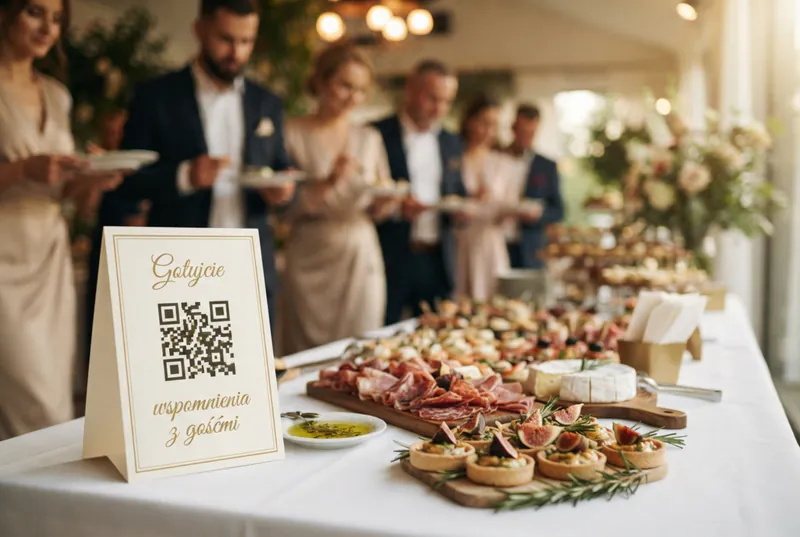
- The cake station — the cake-cutting moment is the most keepsake-worthy shot of the night. A placard next to the cake means 20 people take the same moment from different angles.
Step 4 — Set a PIN (optional)
An 18th birthday is often private. You don't want anyone with the link to peek into the gallery. In the organizer panel you set a PIN — a 4-digit code that you put on the placards or share with guests at the door. Without the PIN the gallery stays locked. Only invited guests see the photos.
This matters at teen 18ths — no parent wants the dance floor photos to end up indexed by Google. The PIN takes care of it.
Step 5 — Turn on Live Show on a TV or projector
Live Show is one of those moments that turns an 18th birthday into more than just a party. You plug a TV or projector into a laptop, open Live Show in the browser, hit fullscreen — and guests' photos appear on screen in real time, moments after they're uploaded.
You set the pace (5, 6, 8, or 10 seconds per slide), the order (newest-first works best — fresh content lands on screen instantly), you add a welcome slide "Kate's 18th — upload your photos!" and you're on. The effect is immediate: a guest uploads a selfie from the dance floor, a minute later that same selfie is on the TV above the bar. Everyone watches, laughs, comments. More photos start pouring in even faster — because everyone wants their shot to land up there too.
This feature is only available in FotoClick and it genuinely changes the energy of the evening.
Step 6 — Push notifications at key moments
Cake cutting. The parents' toast. The first dance (if you're doing one with the parents). You want everyone to have their phone ready at these exact moments. You send a push notification from the panel — "Cake in 2 min, get your phones ready!" — and every guest gets the alert. No app, no account, straight through the browser.
Broadcasts also show up in the Announcements tab — anyone who missed the alert can catch up later.
Step 7 — After the party: download, curate, make a gift
The next morning you open the panel and see all the photos from guests in one place. There's a ZIP download function — you grab the entire gallery in original quality with one click. You can also hide specific shots (moderation is built in) if any are off or too private.
What next? A few ideas that consistently work for 18ths:
- Photo book — the best 60-80 photos in a hardcover book. A gift from parents for the 19th birthday.
- USB stick for the birthday person — the full ZIP on a small keychain drive. Two years later, when iCloud fills up, they'll remember they still have it.
- Anniversary slideshow — open Live Show on the party's anniversary, cast it to the TV, and throw a mini reunion night.
- Send to guests — the gallery link still works, and anyone can download their favorite photos without pinging you for a WeTransfer.
Use case: Sophie's 18th at her parents' house
Sophie turns 18 on Saturday. Her parents, Anna and Mark, are organizing the party at home — 45 guests, a garden marquee, catering from the restaurant down the street, a DJ friend on the decks. Anna has never organized anything bigger than a family barbecue. She's worried about two things: forgetting something important, and ending up with no decent photos from the evening.
Two weeks before the party she sits down one evening, creates the "Sophie's 18th" event on FotoClick, uploads a cover photo (Sophie from last summer's vacation), picks the light theme (daytime party, garden). She designs the placards in the Sage template — it matches the green marquee and white flowers. She sets the PIN to "1808" (Sophie's birthday). She prints 20 placards on A4 at home, cuts them out, and she and Mark tape them onto cardstock backers. It takes them an hour.
On party day they set placards on 8 tables, at the bar, in the restroom, and by the cake table. Mark plugs an old TV from the living room into the laptop, puts it on the balcony facing the marquee, turns on Live Show, sets the pace to 8 seconds, adds a welcome slide "Sophie's 18th — take photos!". The party kicks off at 4:00 PM.
The first hour is quiet — a few people try scanning, ask "how does this work?". Anna shows her sister once — scan, tap, done. Her sister uploads a selfie with Sophie. The photo lands on the TV. Everyone sees it. That's the moment it clicks. Over the next three hours, more and more photos keep landing. Sophie's cousin captures a series from the dance floor (Sophie with her high school crew). Mark's aunt films the moment Sophie opens the present from her grandparents. A neighborhood friend Sophie has known since she was six uploads a selfie with the birthday girl (it'll become one of her favorite shots from the entire evening).
Anna sends one push notification at 8:00 PM — "Cake in 5 minutes!" — and everyone gathers in the marquee, phones ready. 22 people photograph the cake cutting at the same time. All 22 shots land in the gallery.
Sunday morning Anna downloads the ZIP. Sophie sits in her pyjamas with the laptop and scrolls for an hour. She cries at the photo with her grandmother (grandma is 84, this might be their last big-party photo together). A month later Anna orders a photo book and gives it to Sophie for Christmas.
Variants: an 18th at a club, in a restaurant, in a banquet hall
The plan scales both ways.
Club / rented venue — fewer tables, more placards on the bar and on posts around the dance floor. Dark interior = Dark template. Live Show on a big TV in the VIP room. PIN is a must.
Restaurant — placards on every table (4 per A4 is plenty), Live Show on the TV in the room. Send a push notification before the parents' toast. Burgundy or Default templates.
Banquet hall / big party 80+ people — one large placard at the welcome station + 4 per A4 on every table + placards in the restrooms. The venue crew usually has a projector — use it for Live Show. If the birthday person gets married a few years down the line, the same FotoClick account handles the wedding too — one account, unlimited events.
Frequently asked questions
Do guests have to install an app? No. FotoClick runs in the browser. Guests scan the QR code, land in the gallery, and start uploading immediately. No login, no account. They can optionally save it as an app (shortcut on the home screen), but it's not required.
What if someone can't scan a QR code? Every phone camera from 2018 onward scans QR codes automatically — open the camera, aim at the code, tap the link that pops up. If someone genuinely can't, share the direct gallery link — it works exactly the same.
Can the birthday person upload photos alongside the guests? Yes. It's the same gallery. Sophie in the use case above also uploaded selfies from the dance floor and old high school photos. Everything goes into one place.
How long are the photos available after the party? The photos stay in the gallery — you can come back to them, download in original quality, add them to a photo book months later. They don't vanish after 24 hours like Stories.
Can I block strangers from accessing the gallery? Yes. You set a PIN in the organizer panel. Without the code the gallery is inaccessible. You share the PIN only with invited guests — on the placards or at the door.
What if someone uploads a bad photo? The organizer panel includes moderation — hide a specific photo with one click. The guest never knows, and the photo disappears from both the gallery and Live Show.
How much does FotoClick cost for an 18th birthday? The free plan lets you try the gallery at no cost. The paid plans are a one-time charge per event — no subscription (current rates on the pricing page). You pay once for a specific party and get every feature: Live Show, push notifications, and ZIP downloads in original quality.
What next
If you're organizing an 18th birthday, the next steps are simple:
- Create your event on FotoClick and design the placards in the designer — it'll take you 20 minutes.
- Read Wedding QR code — how to make one — the QR instructions translate 1:1 to 18th birthdays.
- Take a look at Wedding slideshow — Live Show — the feature works identically at birthdays.
- If you want to see what a shared party gallery looks like, check Shared event gallery.
An 18th birthday happens once. Do it in a way that gives the birthday person something to come back to a decade from now — not just memories, but real photos, in one place, in original quality. Start here.
Create an event in 30 seconds
Guests scan a QR code and upload photos. No app, no account needed.