Parties
Christening photos — ideas for collecting shots from guests
11 min read
Published 15 July 2026Updated 31 October 2026
TL;DR: A christening is a day every adult remembers — but the child will only see it in photos. Put QR-code placards on the tables and next to the name card, and guests will drop their shots into a shared gallery without logging in and without an app. The whole keepsake in one link — to hand your child when they grow up. We built FotoClick exactly for that.
How do you collect photos from guests at a christening? Place QR-code placards in the church, on the tables and by the cake — every guest scans with their phone and uploads photos to a shared gallery. Below are ideas on what's worth capturing, where to place the placards, and how to invite grandmothers who are hearing the word "QR" for the first time.
Why a christening is a different event than a wedding
A wedding lasts a dozen hours. A christening — three, maybe four. Church, family photo, dinner, cake, and guests are already getting ready to leave. In that window happens everything the child will one day look at in photos: the baptism, the candle, congratulations from grandparents, the first shot with godparents, the cake.
Parents want one thing — for these moments not to disappear. But in reality, every guest takes photos on their own phone, and then:
- your aunt promises "I'll send them tonight" and sends them three weeks later
- grandpa takes a beautiful shot in church and won't know how to forward it
- your cousin uploads the three prettiest ones to Instagram, the rest die in her camera roll
- the photographer (if there was one) delivers 40 frames a month later — great, but that's his perspective
The parents are left with chaos. And twenty years from now, the child would like to see everything — what the grandparents looked like, how the godmother held them, how the uncle pulled faces over the cake.
A shared gallery — one place, every shot
The solution is trivial: one gallery, everyone uploads, everyone downloads. No account, no app to install, no begging on the family WhatsApp group three times a week.
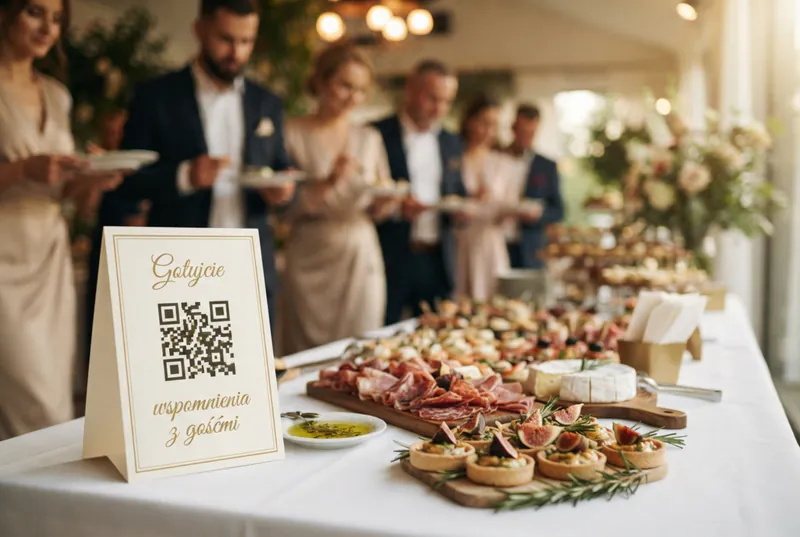
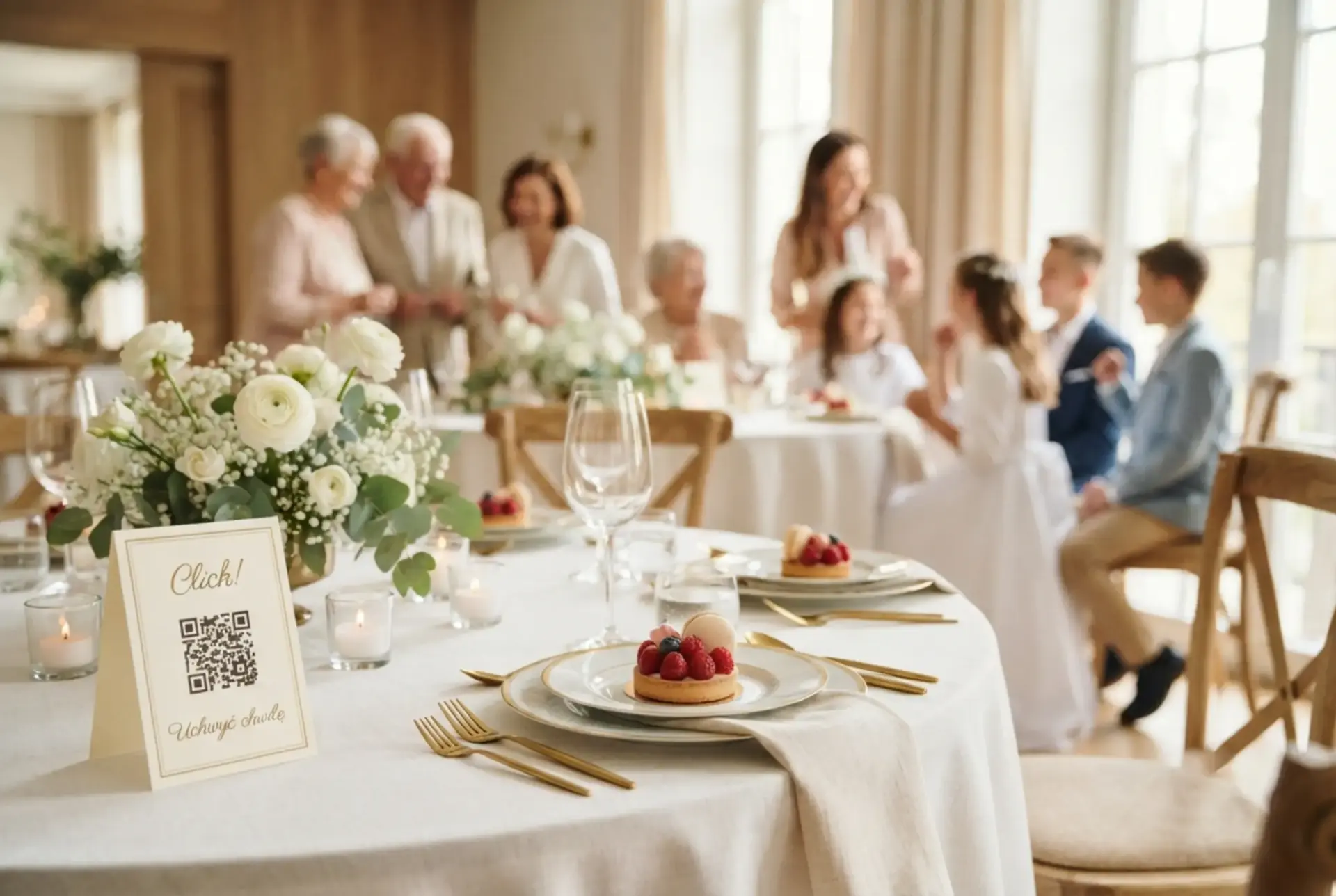
That's how FotoClick works. You create an event, print QR-code placards, place them in the church and on the tables. A guest scans with their phone — the gallery opens in the browser, they add photos with one tap. You and the godparents see everything live.
Three things that make this work at a christening:
1. Zero barrier for older guests. Grandma doesn't create an account. She doesn't download an app from the Play Store. She scans the code with the camera, taps "choose photos", picks a few from her phone's gallery, done. She doesn't even know she just "uploaded to the cloud".
2. Photos in full quality. Not compressed like WhatsApp. Not downscaled like Messenger. The original — because fifteen years from now, you'll want to print them big, on canvas, in an album.
3. You see everything, they see their own. As the organizer, you have access to the whole gallery and can download a ZIP in full quality. Guests see the same link — they can look at other people's photos, grab their favorite shot of grandpa holding the child.
What's worth capturing at a christening (a parents' checklist)
Before you place the placards and share the link — think about what you actually want in the gallery. You don't have to instruct anyone. It's enough to place the placards where those shots happen:
- The church — before the baptism. The child in the white gown/shirt, grandparents in the pew behind, godparents next to them. A placard on the little table by the guest book.
- The moment of baptism itself. Water, candle, the priest's face. Someone will always take that photo — the question is whether it reaches you.
- The family group shot outside the church. Four generations, two families, one occasion. A classic.
- The welcome at the reception hall/restaurant. Guests coming in, the child already tired, someone bursts in with a gift.
- The cake and the candle. If the christening doubles as a first birthday — the candle, the cake, the child's expression. Priceless.
- Congratulations from the grandparents. Grandma with a gift, grandpa with a tear in his eye. Twenty years from now, they may no longer be here — these frames are too precious to die in someone's camera roll.
- Godparents with the child. Separate photos with each godparent, against the wall of the hall, calmly, without rushing.
- Everyday frames. An aunt feeding the child, an uncle making a face, a cousin under the table. What captures the actual mood of the day.
A tip: make a small sign with the child's name and the date of the baptism — put it on the main table with a placard next to it. Twenty years from now, the first photo in the gallery will speak for itself: "who, when, where".
Where to place the placards — ideas
A christening usually has two locations: the church and the hall. Place the placards so they're in sight when guests already have their phone in hand.
In the church:
- Next to the guest book (people are signing — they scan right away)
- On the little table by the sacristy entrance, where parents pose with the priest after the baptism
In the hall/restaurant:
- On the main table, next to the child's name sign
- On every guest table (one A6 placard per table is enough)
- Next to the gift table
- By the cake
- At the entrance — the first thing a guest sees when walking in
In the FotoClick placard designer you have five templates (from classic gold to pastel sage — which fits the gentle christening vibe nicely). You can print several on a single A4 page — four per sheet is comfortable for a small hall, nine per sheet if you want to hand one to every table.
How to invite older guests to scan
This is parents' biggest worry: "grandma won't manage, grandpa doesn't have a smartphone, my aunt won't figure it out". Realistically — 80% of adults over sixty own a smartphone and know how to scan a code with the camera (they learn it from restaurant menus, hospital check-ins, utility apps). But it's worth making it easier.
Three things that help:
- Short copy on the placard: "Take a photo here and drop it in — a keepsake for Sophie for life." No words like "app", "upload", "gallery". Human language.
- One person from the family shows the first guest how to do it. A cousin, sister, anyone younger. The rest see it and copy — the mirroring mechanism just works.
- A backup: if someone took photos in the church and can't upload them alone, they can send them to you on WhatsApp — and you, as the organizer, drop them into the gallery on their behalf. Nothing gets lost.
Importantly — FotoClick works with no sign-in on the guest side. Nobody creates an account, gives an email, or clicks "I agree". Scan → pick photos → send. Three taps.
Use case — Sophie's christening
Ola and Michael held Sophie's christening at a small venue in Krakow. Thirty guests, four generations on both sides, two godparents, one parish priest, one cake with a "1" candle (christening and first birthday on the same day).
Ola made a list beforehand: "what MUST be in the photos". The church with grandparents, the baptism itself, the family group outside the church, the candle on the cake, congratulations from Sophie's grandma from Warsaw (who came for the first time, and may see her great-granddaughter for the last time). She opened FotoClick, created an event called "Sophie's Christening", and printed twelve placards in the Sage template (soft olive, matches the color of the venue).
They laid the placards out: two in the church, ten in the hall (one per table plus cake, entrance, and gifts). Michael showed the scanning trick to a cousin first, the cousin showed her mother, the mother showed Sophie's Warsaw grandma. Within an hour there were eighty photos in the gallery. By the end of the day — two hundred and forty.
Here's what turned up: the grandma from Warsaw took one single frame that became the shot of the year — Sophie in her white gown holding a candle, with the priest and godparents blurred in the background. Nobody else was standing in that spot. If grandma had had no way to send that photo — it would have died in her phone and Ola would never have seen it.
That evening Ola and Michael opened the gallery on the TV and scrolled through the 240 photos. Laughter, tears, "look at her face", "look at your uncle after two glasses". They downloaded the ZIP in full quality. Grandma's frame they printed on canvas and hung above Sophie's crib.
When you'll use the same account again
A christening isn't the last family event. A year from now there'll be a first birthday, in five years a first communion, in two years maybe the christening of a younger sibling. The same FotoClick account will handle every one of them — you create a new event, print new placards, same mechanism.
The same account will also work for your husband's company retreat in November or a group holiday with friends this summer. One account — any event. More on that in our post Shared event gallery — how it works.
Family events share one trait: they happen once, and either they're well documented, or there's nothing to talk about ten years later.
Frequently asked questions
Do guests have to install an app to upload photos? No. A guest scans the QR code with their phone camera and the gallery opens in the browser — no download from the Play Store, no account, no email to hand over. Scan, pick photos, send. That's key at a christening, where half the guests are grandparents and aunts who don't want to fight with an install.
Do I need a photographer if guests are taking pictures? A photographer gives you craft and composition — frames a guest won't capture. A guest gallery gives you what the photographer doesn't see: grandma's face in the second row, a cousin laughing, a hand holding the child's hand. They're two different perspectives of the same day. Ideally, you have both.
What if grandma doesn't own a smartphone? Someone next to her will help — the mother, a cousin, a granddaughter. Photos she takes with her own camera or a non-smartphone can be added to the gallery later, once you offload her memory card. Nothing gets lost.
How many placards are enough for a christening of 30 people? Realistically 6 to 10. One per table, one in the church, one by the cake, one by the entrance, one by the gifts. The FotoClick designer lets you print several on one A4 sheet, so a single page is usually enough.
Will the photos stay there forever? You can download the whole gallery in full quality as a ZIP and keep it on your drive, in the cloud, on a USB stick. Nothing ties you to our platform — the file is yours.
Can I restrict access so not everyone sees the gallery? Yes — you set a PIN for guests. Only the people you share the PIN with (or hand a QR placard to) will get into the gallery. Nobody from outside can see it.
What about photos of children — privacy, data protection? The gallery is private, accessible only through a link and a PIN, and isn't indexed by Google. You as the organizer decide who gets access. You can hide any photo from the panel at any moment — you don't have to delete it permanently, but it disappears from the guest view.
What next
A christening is an occasion that doesn't come back. Place the placards, give guests a simple way in, and let them build that keepsake for you — that day you have plenty to do without running around the hall with your camera.
If you're looking for more ideas for other family and social events, check out:
- Shared event gallery — how it works — the mechanism in a nutshell
- Wedding QR code — how to make one — a practical guide that works 1:1 at a christening
- How to organize an 18th birthday — keepsakes and photos — for when Sophie grows into her own party
Create your event on FotoClick, print the placards, put them on the tables. The rest happens on its own — and twenty years from now, Sophie will see in the gallery the grandmother who held her in church. That's the whole point of this keepsake.
Create an event in 30 seconds
Guests scan a QR code and upload photos. No app, no account needed.