Parties
Group trip — how to collect photos from everyone in one place
11 min read
Published 15 July 2026Updated 31 October 2026
TL;DR: On a group trip everyone takes photos, but no one wants to collect them afterwards. The solution: one QR code for the whole trip + a shared gallery in the browser. Guests scan once, upload for three days, and in the evening you watch everything together on Live Show. No app to install, no accounts for participants. We built FotoClick for exactly this.
How do you collect photos from everyone on a group trip? Create one event in FotoClick, print the QR code, and show it at the first get-together — from that moment on, every photo from the trip lands in the shared gallery. Below we walk through how to set it up for a bachelor party, bachelorette, company retreat, or a regular getaway with friends.
Why a group trip is the worst possible scenario for collecting photos
A wedding lasts one day. A birthday party — one evening. A group trip lasts anywhere from two to seven days, and that is its biggest problem, not its advantage.
At a wedding everyone is in one place, at one time, in one mood. On a trip — not so much. In the morning someone goes running, at noon half the group is out kayaking, in the evening three people stay in the cabin, and the rest disappear into town. Photos happen everywhere, at every hour, and each one matters to someone different.
The standard scenario looks like this:
- Someone starts a WhatsApp group called "Mike's Bachelor Party"
- On day one they upload thirty photos — compressed quality, random order
- On day two the group gets noisy and someone mutes it
- On day three no one uploads anything anymore, because "I'll send it when we get back"
- A month later half the photos are gone because WhatsApp cleared its cache
- A year later no one remembers who had those great shots from the evening by the lake
This is not a matter of discipline. It is a matter of the tool. WhatsApp was not designed to collect photos from a trip — it was designed for chatting.
How we solve it in FotoClick
The idea is simple: one event = the whole trip. Not one day, not one evening — the entire trip.
You create an event called "Mike's Bachelor 2026" or "Company Retreat — Wilderness Edition", set the start date, and it just lives for as long as it needs to live. Guests scan the QR code once, at the first get-together, and throughout the whole trip they can come back to the gallery — add new photos, browse other people's, download their favorites.
No sign-in. No app to install. No asking for the wifi password. They open the link in the phone's browser — that's it.
Three things that change everything on a trip:
1. The gallery lives across the entire trip. A photo taken on Friday evening and uploaded on Sunday morning ends up in the same place as the rest. Nobody has to remember "where do I send this again."
2. Announcements work like a group noticeboard. As the organizer you can broadcast "Meet in the kitchen at 7 PM" and everyone gets it as a push notification — even the people who never upload photos. The history of broadcasts stays in the gallery, so anyone can go back and check.
3. Live Show in the evening = a wrap-up ritual. On the last evening you cast the slideshow to the TV in the apartment — three days of photos playing in order, everyone with a glass of wine, commenting, revisiting moments they had already forgotten. This is the moment after which people say "we have to do this again."
How to set up a trip — step by step
Step 1 — Create the event 2-3 weeks before the trip
Open FotoClick, click "New event", type in a name (e.g. "Anna's Bachelorette, Coast Weekend") and a rough start date. The date does not have to be perfect — it is just so the gallery knows what context it lives in.
Step 2 — Print the QR code in several formats
The organizer panel has a placard designer — five templates (including Sage, Burgundy, Dark), layouts with 1, 4, or 9 placards per A4 sheet. For a group trip we recommend:
- 1 large full-A4 placard — for the fridge in the cabin or the door of the apartment
- 4 medium ones — one per room or per car
- 9 small ones — to hand out personally over the first shared drink
You do not need professional printing. A regular office printer or the hotel reception's A4 output is enough.
Step 3 — Set a PIN if the trip is a sensitive one
Bachelor party, bachelorette, private getaway — those events can get… interesting. In FotoClick you can set a PIN for gallery access. Then the QR code alone is not enough — a guest also has to enter the number you shared in the group chat.
That takes care of the "someone scanned the placard we left on a parking-lot bench and now they're browsing our photos" problem. Only the people you invite know the PIN.
Step 4 — Share the link on your group chat the day before
Copy the event link, drop it into your WhatsApp/Signal/Messenger group with a note: "on the trip we're putting everything in here, the QR code will be there too." People who click early will get familiar with the interface — and you won't have to explain anything in the car.
Step 5 — On the first evening, do the "everyone scans together" ritual
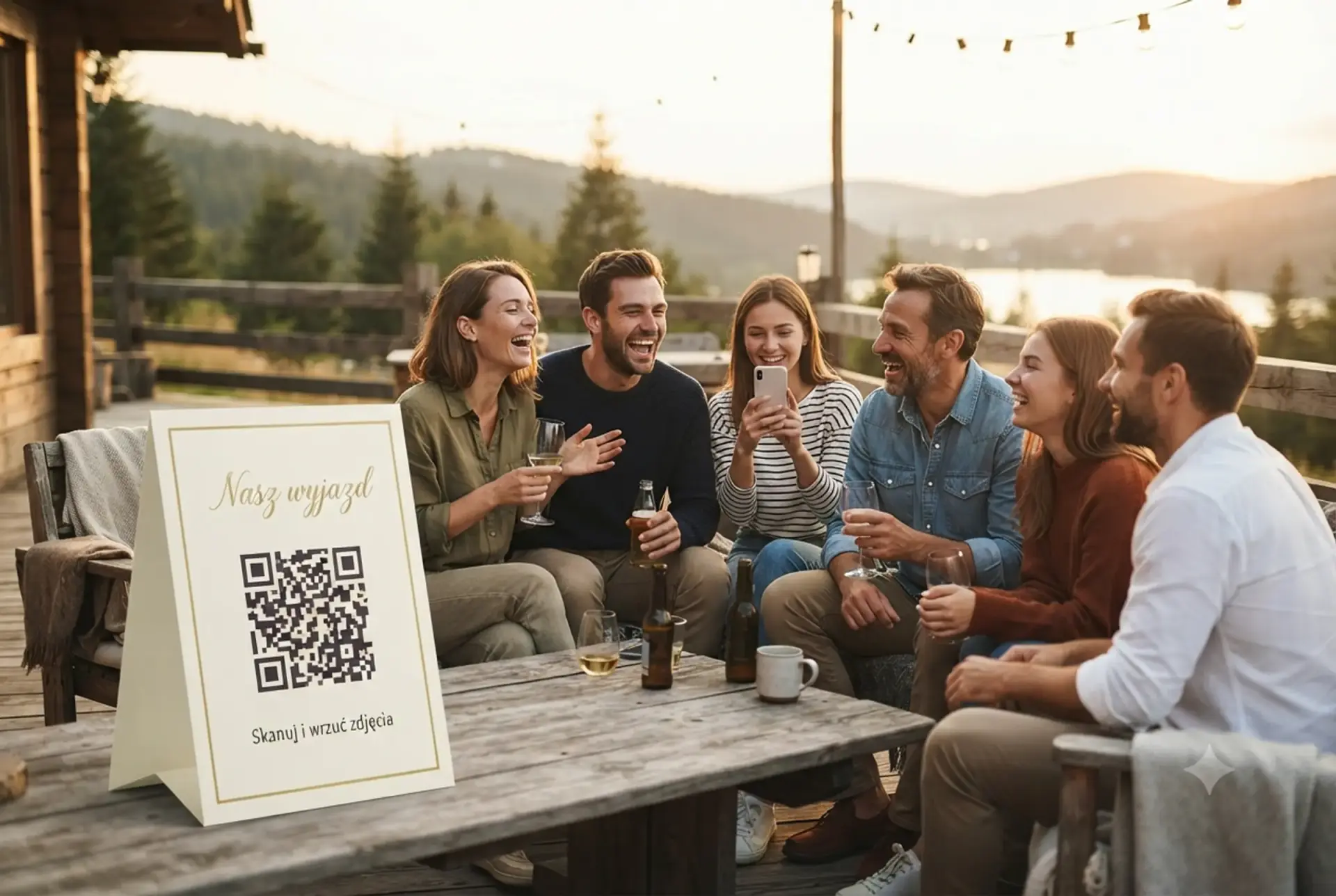
This sounds trivial, but it works. Over the first shared drink you hold up the placard, say "scan this", everyone pulls out their phone, the gallery opens. Someone snaps a "drink zero" photo and uploads it as the first shot. From that moment on, people know where photos go and why.
Step 6 — On the last evening you fire up Live Show
Connect a laptop or phone to the TV in the cabin (HDMI, Chromecast, AirPlay — whatever works). Open Live Show. Set the pace to 6-8 seconds, order to chronological — because the whole point is that the day-by-day progression makes sense.
The welcome slide (up to 80 characters) can be something simple: "Mike's Bachelor Party — Three Days in the Mountains." The rest happens on its own. This is a feature only FotoClick has — with other apps you cannot turn this into an evening ritual.
Step 7 — After you get home, download the ZIP in full quality
Everything at original resolution. Photos from an iPhone not compressed down to 800px like on WhatsApp. Drop them into Google Drive, iCloud, OneDrive — whatever you like. The gallery stays online so everyone can come back to it.
Variants for different types of trips
Bachelor / bachelorette (2-3 days)
Two things matter here: the PIN and moderation. Bachelor parties have a way of producing photos that the groom or bride does not necessarily want circulating publicly. In the organizer panel you can hide specific photos with one click — they stay in the database but disappear from the gallery.
Recommendation: one person (best man, maid of honor) keeps the organizer panel open and does a quick moderation pass each evening. That way the Live Show on the last day is 100% watchable.
Three-day company retreat
FotoClick's universal positioning shows itself best here: the same account that handled the company retreat in March will handle the employee's wedding in June and the conference in October. You do not create anything new — each event is a separate gallery in the same panel.
At a company retreat the Live Show on the final evening becomes a ready-made element of the closing gala. HR gets material for the intranet without commissioning a photographer for the whole trip.
A friends' trip with no particular occasion
No guest of honor here, no organizer, no budget. Usually one person handles the accommodation, so let that same person create the event. A QR code on the cabin fridge is enough. You can fire up Live Show in the middle of the trip too, not just at the end — as "something to do on a rainy afternoon."
If it turns out after the trip that you do these getaways every year, one account will handle all of them going forward. No starting from scratch.
Use case — Kate's bachelorette on the coast
Kate is getting married in September. In May, eight of her friends head to the seaside for three days — a classic bachelorette: photoshoot with a photographer, night out at a club, breakfast on the beach, spa, wine dinner, drive home.
Ann (the maid of honor) creates an event called "Kate's Bachelorette 2026" in FotoClick the day before. She sets a PIN — only the girls know it. She prints four A6 placards in the Sage template (soft sage green matching Kate's aesthetic) and tucks them into her bag.
On Friday evening, over welcome prosecco in the apartment, Ann hands out the placards. Everyone scans. First photo: eight glasses in a circle, hands, wide grins. It lands in the gallery.
Over three days the usual bachelorette things happen — photoshoot, club, spa, breakfast on the beach. But the photos all flow into one place. Martha, who normally struggles with anything tech-related, uploads four photos entirely on her own. Nobody has to help her.
On Sunday morning, before the drive home, Ann casts Live Show to the TV in the apartment. Three days in 12 minutes. Chronological order, 6-second pace. Kate cries at a photo from the shoot, laughs at a photo from the club, and along the way asks Ann to "hide that one, my husband doesn't need to see it." Ann taps, the photo disappears from the gallery.
After they get home Ann downloads the full-quality ZIP and drops it on Google Drive. Kate gets a link to the gallery — she can revisit whenever she wants. Three weeks later, the evening before the wedding, Kate opens the gallery and watches it all over again.
FAQ — the questions we get most
Do guests have to install an app? No. They open the link in their phone's browser — works on any Android or iPhone. They can optionally "add to home screen" so it looks like an app, but that is never required.
How many people can one event handle? A group trip usually means 6-30 people. FotoClick handles groups of that size without a hitch — technically there is no hard cap on participants, only a photo limit that depends on your plan.
What if there is no internet at the cabin? FotoClick has an auto-resend queue. You take a photo, try to upload, there is no signal — the app parks it in the queue. Once you are back in wifi/LTE range, the photos send themselves. Nothing gets lost.
Do I get a notification when someone uploads a photo? Yes, as the organizer you get push notifications. But you can also turn them off — if 20 people are uploading nonstop, notifications become noise. We recommend turning them off during the trip.
How long does the gallery stay live after the trip? It depends on the plan, but always long enough to download the ZIP and decide what happens next. Photos stay in full quality.
Can I use one account for several trips? Yes, and that is the whole point of FotoClick. One account handles all your events — bachelor in May, wedding in June, company retreat in October. Each one as a separate gallery, all in the same panel.
What next
If you are organizing a trip and want the photos gathered in one place, create the event on FotoClick today — setup takes less than 10 minutes, and you can print the placards at home.
Worth checking out too:
- Shared event gallery — how it works — more on the mechanics of a shared gallery and how it works without guests signing in
- Wedding slideshow — Live Show — the technical details of Live Show, which work just as well on a group trip
- Corporate event photos — how to collect them — if the trip you are running is a company retreat
Three days in the mountains, on the coast, or out in the wilderness — that is too little time to spend chasing photos afterwards. Set up one QR code once and focus on the trip.
Create an event in 30 seconds
Guests scan a QR code and upload photos. No app, no account needed.